Looking for a Mint alternative?

Mint closed on March 23, 2024, and Intuit pointed its users to Credit Karma. If the budget you had still has nowhere to live, read on, knowing we make a budgeting app ourselves. Mint got a lot right, so that's where we'll start.

What Mint got right

Everything in one place, free, with nothing to type. It connected to your accounts and showed your spending in categories, your budget and your net worth on one screen. For a great many households it was the first time they'd seen the whole picture at once, and the picture arrived on its own.

What you're replacing

Credit Karma kept Mint's spending and net worth tracking, and dropped its monthly budgets and custom categories. The feed survived. The budget is the part you're replacing.

Without a bank feed

Forecast Commander doesn't connect to your bank. If what you valued most about Mint was that it filled itself in, look at the apps that sync. This one asks you to type what you know, and a statement file from your bank finds the bills that repeat.

A feed has costs too. In Forbes Advisor's 2026 testing, bank syncing and connectivity dominated the negative reviews across the category. Plenty of people still want one, and it's better to know now than after you sign up.

A budget and a forecast in one

Forecast Commander is a complete budgeting app with the forecast built in. Budget by category with rollover, by paycheck, or watch one category and leave the rest alone. The calendar holds every bill and paycheck with your balance at the end of each day, and a sentence above it says how long you stay above your floor and when your balance is lowest. You enter a recurring rule once, and there's a payoff planner, goals and net worth too.

Most of the typing happens once: enter the rules, check a statement now and then, and add what you spend.
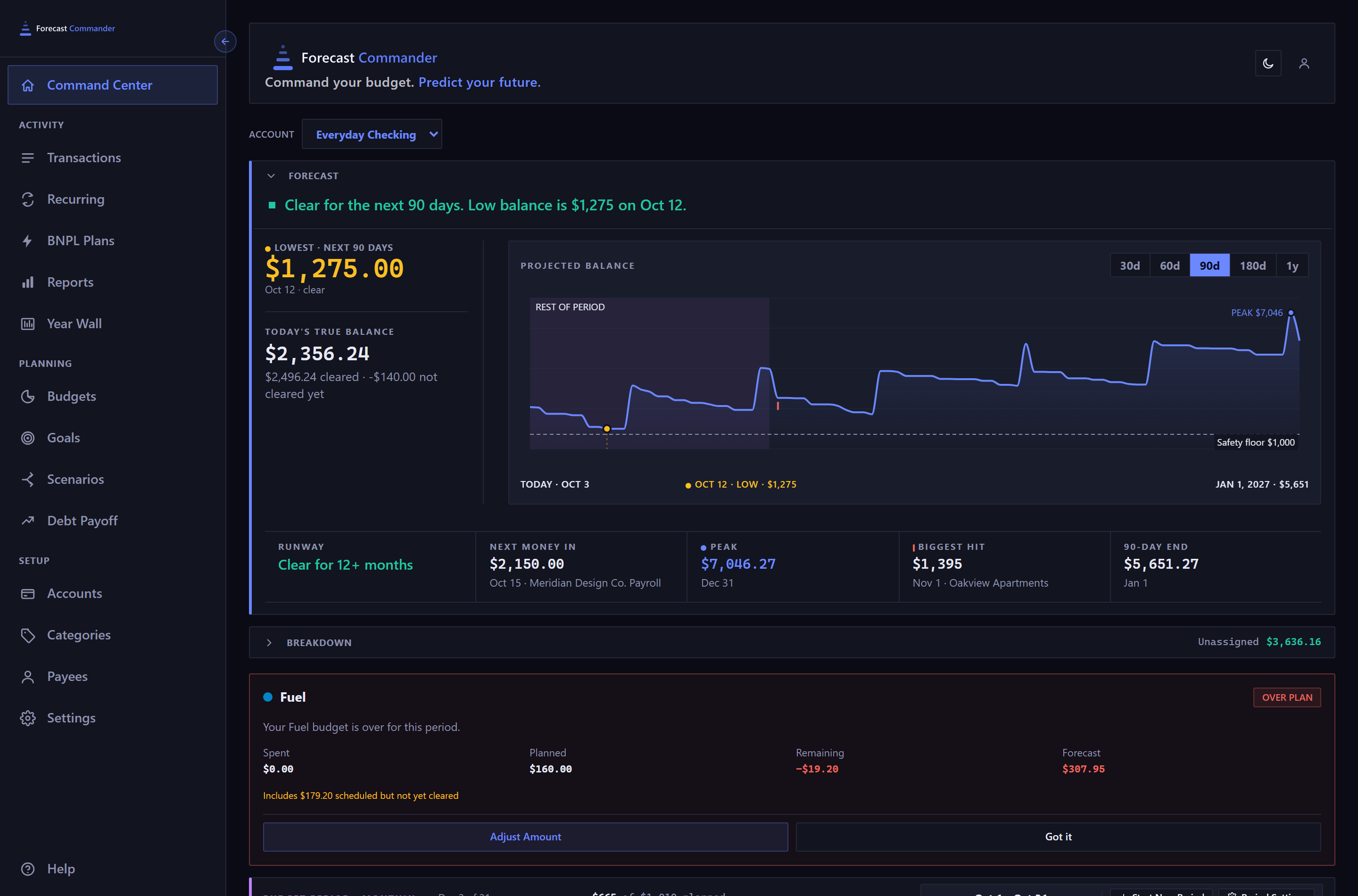
The top of the Command Center as you land on it, in a 1440 pixel window with the sidebar open. A header strip with the wordmark and tagline, then the account selector reading Everyday Checking. Then the forecast panel: a green verdict sentence across the top, and under it a narrow left column with the lowest point over the next 90 days in the warning amber and today's true balance beneath a rule, with the projected balance chart filling the rest and an amber dot on the low. Across the foot of the panel, a rail of five cells divided by hairlines: runway, next money in, the peak, the biggest hit and the 90 day end, each a label over a figure, and the last four with a date beneath it. Below the panel, the breakdown row carrying the chain's closing term, then a budget alert card naming the category that is over plan, with its spent, planned, remaining and forecast figures, a note that part of it is scheduled but not yet cleared, and buttons to adjust the amount or dismiss the card; then the top edge of the budget period row, cut off by the bottom of the window.The top of the Command Center as you land on it, in a 1440 pixel window with the sidebar open. A header strip with the wordmark and tagline, then the account selector reading Everyday Checking. Then the forecast panel: a green verdict sentence across the top, and under it a narrow left column with the lowest point over the next 90 days in the warning amber and today's true balance beneath a rule, with the projected balance chart filling the rest and an amber dot on the low. Across the foot of the panel, a rail of five cells divided by hairlines: runway, next money in, the peak, the biggest hit and the 90 day end, each a label over a figure, and the last four with a date beneath it. Below the panel, the breakdown row carrying the chain's closing term, then a budget alert card naming the category that is over plan, with its spent, planned, remaining and forecast figures, a note that part of it is scheduled but not yet cleared, and buttons to adjust the amount or dismiss the card; then the top edge of the budget period row, cut off by the bottom of the window.
The Command Center as you land on it: the sentence, the low and today's balance, the chart, and a rail of five figures. Live capture, demo data.

Moving in

Nothing carries over from a closed app, so start from what you know. After you sign up, three screens ask where your money sits, when you get paid and what goes out every month, and then the sentence appears. A statement file from your bank finds the bills that repeat, and you tick the ones you want.

Start your 35-day trial

Try it free for 35 days with no card. The forecast appears once you've answered those three questions. Read the Getting Started guide.

More from Learn