Budgeting by paycheck
Most budgeting apps assume the month. Most people aren't paid by the month. If your paycheck arrives every other Friday, a monthly budget has two checks in some months and three in others, and the budget never quite lines up with the money. Forecast Commander is a complete budgeting app whose period is yours to pick, so a budget can follow your paycheck.
Pick the period
Monthly is the default and works for many people. Twice a month gives two periods a month, on days you choose, for salaries paid that way. Every two weeks gives a new period every 14 days, and it drifts across month boundaries the way a real biweekly paycheck does. Once it's aligned to your paycheck, the period boundary is payday and the budget starts when the money does. Switching is one setting, and the periods behind you keep their figures.
What counts against a category
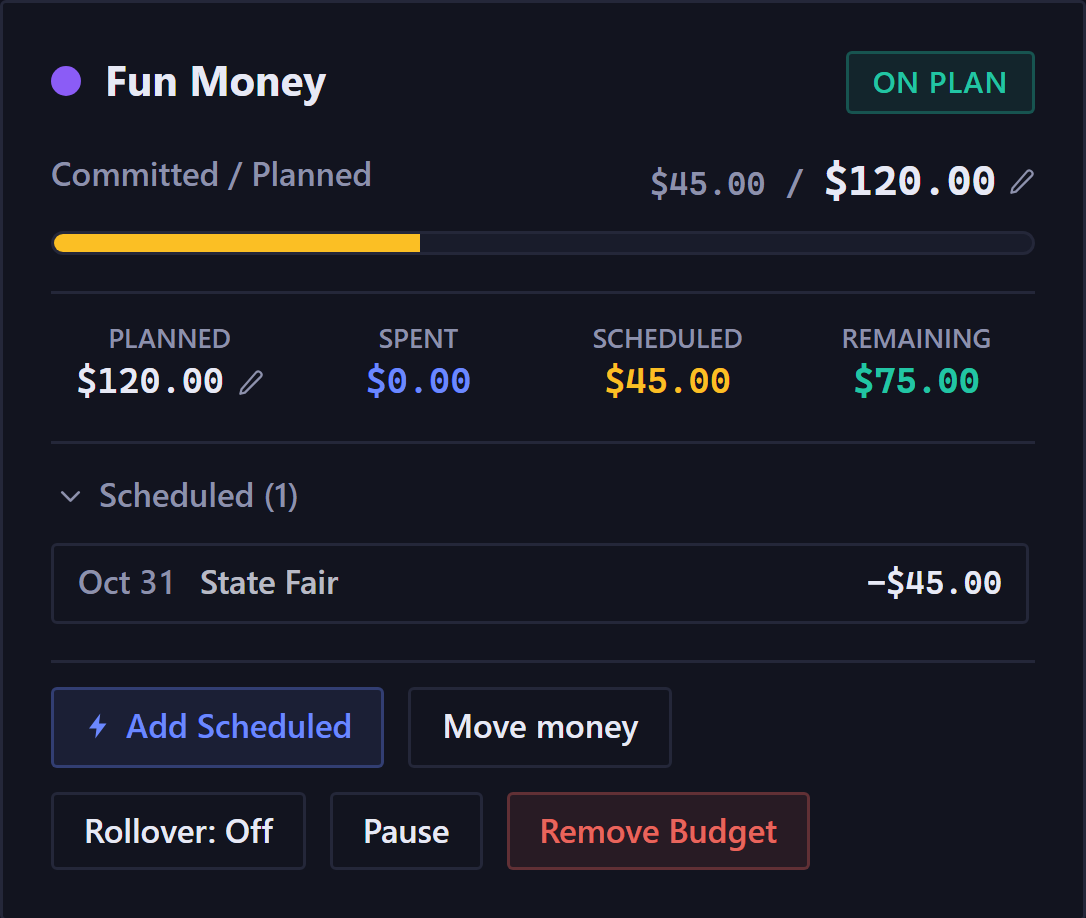
A category on the budgets page shows planned, spent, scheduled, and remaining. Scheduled is the part most apps leave out: the bill that's coming this period but hasn't cleared yet counts against its category now, so remaining is what you can still spend, not what the bank thinks you have. When the app has enough to go on, a forecasted line beneath says where the category is heading.
Rollover your way
What happens to what's left at the end of a period is your call, per category. Carry it forward, let it reset, or pause the category for a while.
Your method stays yours
Give every dollar a job, or track by category, or keep no categories at all and just watch the calendar: nothing here forces one. A percentage method works too: give a group its share of income, and the target follows the period's income.
The budget is a view over the same ledger the forecast reads, so however you budget, the day your balance is lowest is on the calendar.
The period, on the calendar
The calendar marks the current period, with a bar on its first and last days and a line under every day inside it, so you can see at a glance how many days are left before the next paycheck resets it.
The forecast panel names the next check: its date, how far off it is, and how much it is. The panel above the calendar says where the period stands: which day of it you're on, how much of the period's budget has gone, and what still needs attention before it closes.
A period that ends on payday means the budget and the balance are asking the same question on the same day.
The free trial runs 35 days with no card, long enough to see a period roll over. Read the Budgets guide.