A budget for people paid every other week
If you're paid every other week, you get 26 paychecks a year, and the calendar hands you 12 months. Two of those months hold three checks. The other 10 hold two, and which months get the third one moves every year. A budget built on the month is always slightly wrong for you, and never wrong in the same direction twice.
You may already track everything on paper. You know what the bills are and when they land. What you want is to see how much of a check is left before the next one arrives, and to send that amount at the debt. That's a budget by pay period, and it's a different unit, not a different amount of work.
Budget each paycheck
A pay period is the stretch from one paycheck to the next. Budget that. Each period has one check coming in and its own set of bills going out: the ones that fall inside those 14 days, plus two weeks of groceries and gas. What the check has to cover is what lands before the next check. What's left is free to use, because nothing else comes due before you're paid again.
In Forecast Commander the budget period is a setting. Open Period Settings on the Budgets page and there are four cadences: Monthly, Semi-Monthly, Biweekly, and Custom. Biweekly can be aligned to your income rule, and after a first period that can run short or long, every period starts on payday. It drifts across month boundaries the way a real biweekly paycheck does.
Every bill sits on the calendar on its date, so a period shows the bills that belong to it and not the month's. The Command Center says it outright: the date of the next check, how far off it is, and how much it is.
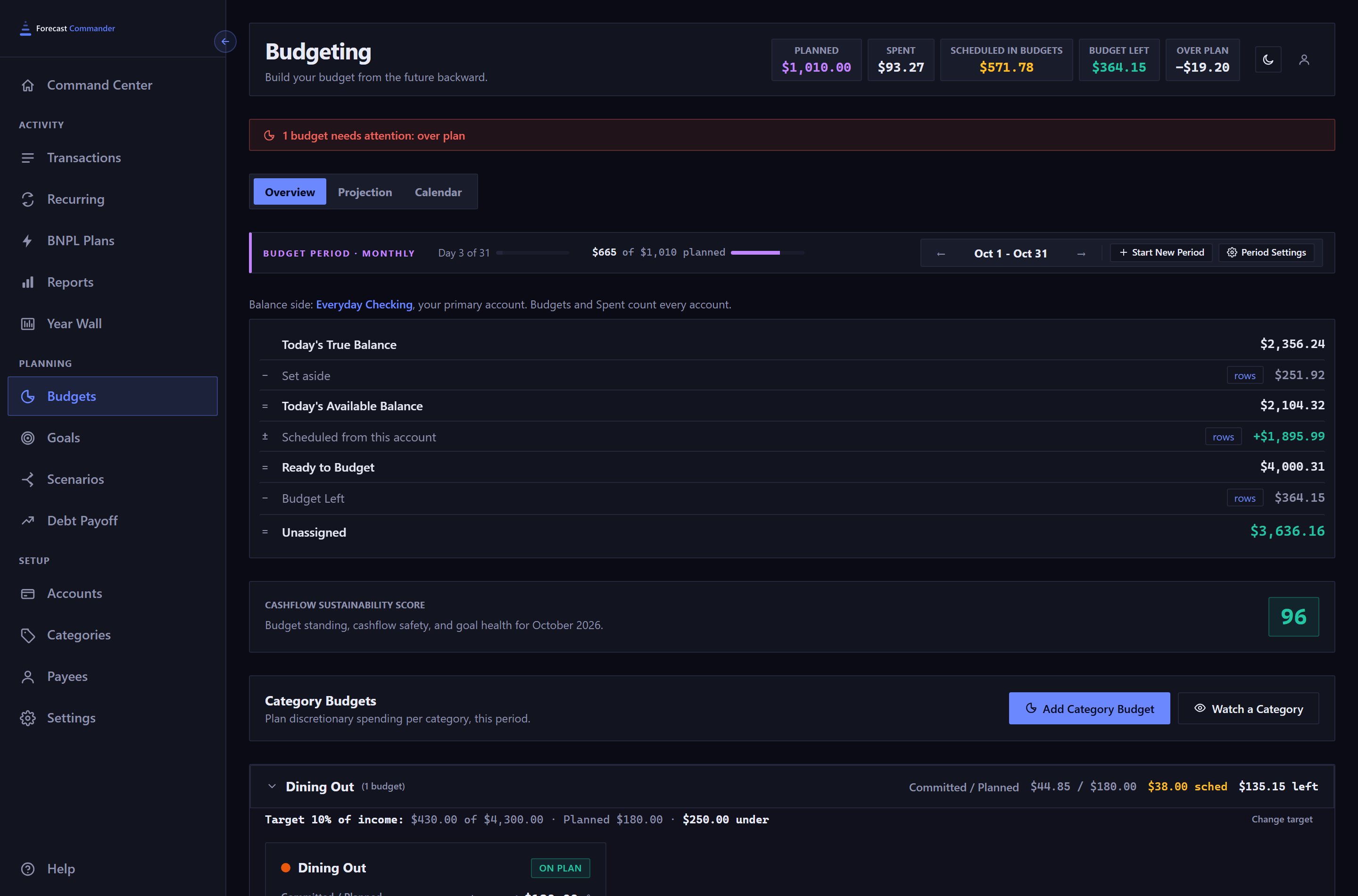
The three-check month
Twice a year a month holds a third check. Under a monthly budget that's a windfall, and windfalls tend to evaporate. Under a paycheck budget it's a period like any other, with a lighter set of bills, since the check before it covered the rent, and a larger number left over. That's the period to send more at the debt or the goal, and the app shows you the number.
Where the leftover goes
If you're paying off debt, the leftover from each period is the extra payment. The Debt Payoff page has a monthly payment field on every debt that's yours to change, and editing it re-runs every projection on the page, so you can add the period's leftover to it and read the new debt-free date before you send a dollar. If you're saving, set the leftover aside for a goal, and your available balance leaves it out.
Two paychecks in one household
If you and your partner are paid on different schedules, say alternating weeks so that money arrives every week, budget by whichever check pays the rent. The period follows that income rule. The other paycheck lands inside the period as income on its own date, on the calendar with everything else, and the running balance counts it the day it arrives.
Try 35 days free with no card. The second screen of setup asks when you get paid. Read the Budgets guide.