Sinking funds without extra accounts
Money put aside a little at a time for a bill you can see coming, run inside the budget you already have.
A sinking fund is the plain idea behind a lot of budgeting advice. A bill you know is coming gets paid for a little at a time before it arrives. Car insurance twice a year. The vet. December. New tires. The water heater that's going to go eventually. Put a slice aside every month and the bill turns from a bad week into a line item.
The usual way to run one is a savings account per fund, or one savings account and a spreadsheet tracking which dollars belong to what. It works. It also means transfers every month, a bank that would like you to keep a minimum balance, and a checking balance that no longer tells you what you can spend, because some of it is spoken for.
Run it as a category with rollover on
There's a simpler way, and it lives inside the budget you already have. Give the fund its own category. Put the monthly slice in as that category's planned amount. Turn rollover on. Now whatever you don't spend carries into the next period, and the next, and when the bill arrives you categorize it to the fund and the fund pays it.
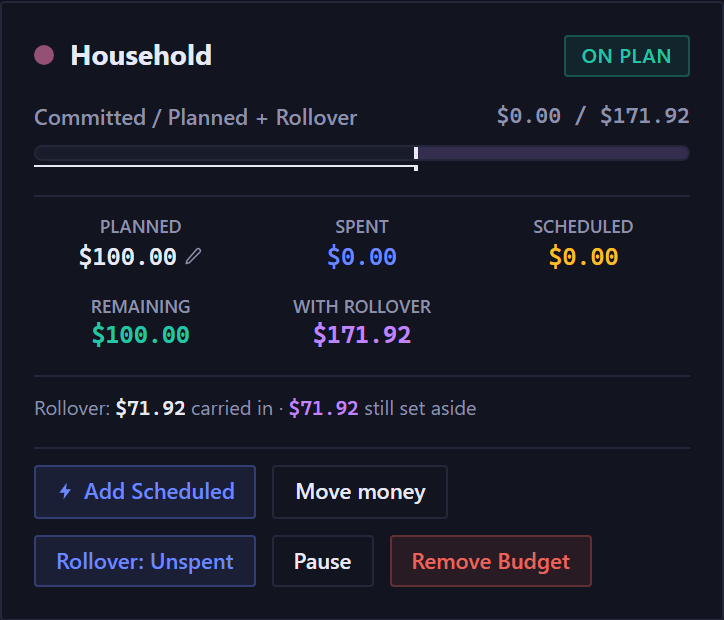
The money never leaves checking. What changes is what the app tells you is free to spend. In Forecast Commander a positive rollover joins the Set aside figure, so it stops counting as available, the same way a savings goal does. Your checking balance can read $2,300 while the app says you have $1,460 to work with, because $840 of it is the insurance fund. The number you look at before spending already knows about the fund.
Take car insurance at $840 a year, billed every six months. That's $70 a month into the category. Six months in, the category holds $420 and the bill takes it. If you're starting mid-year and already have some set aside, enter it as the category's Opening balance.
Which ones should be goals instead
Some things you save toward have an end. A trip in March, a down payment, a laptop. Those have a target and a date, and once you've bought the thing, the fund closes. In this app those are Goals, and Goals are built for it: a target, a date, one or more accounts funding it, and a decision to make when the date arrives.
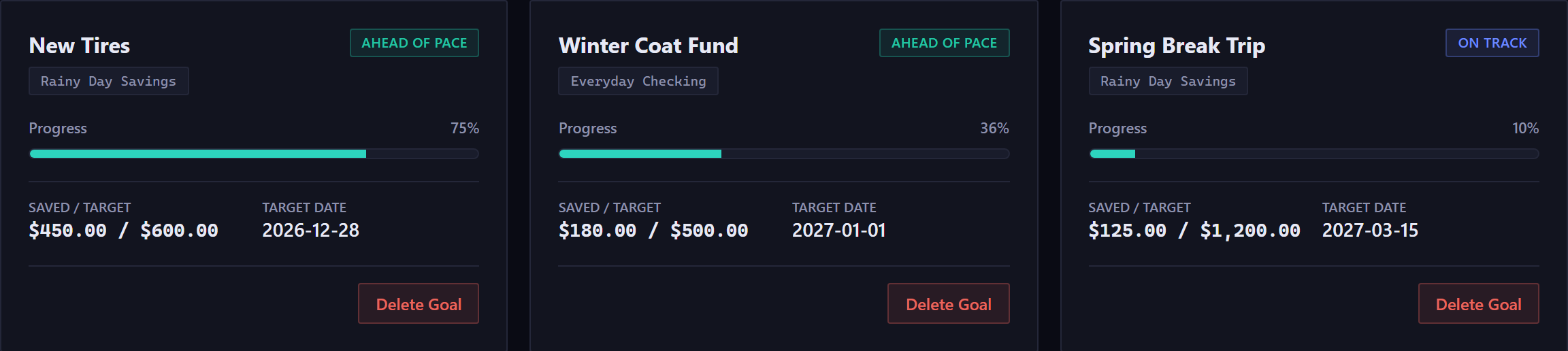
A fund for insurance has no end and no target. It just refills. A goal for a trip has both. Run the first as a rollover category and the second as a goal, and each behaves the way you'd expect.
How many funds
Fewer than you think. The lists online run to 20, one for every gift-giving occasion and appliance in the house, and a budget with 20 funds is a budget nobody keeps up. Start with the two or three bills that hurt most when they land, the ones you'd otherwise put on a card. Add another when a surprise turns out not to have been one.
What it does to the forecast
Because the fund sits in checking, the forecast counts it as money in the account, which it is. Because it's set aside, the budget won't offer it to you as spendable. And when the bill lands, it's on the calendar on its date like every other bill, so the low point already includes it. You'll see the tight week coming, and you'll also see that the money for it is already there.
There's no card for the 35-day trial, and rollover is one button on the category. Read about rollover.