Budget spreadsheet or budgeting app?
If you budget in a spreadsheet you already run a forecast. Here's what the sheet does better, and what it can't.
If you keep your budget in a spreadsheet, you're ahead of most people, and most budgeting apps are behind you. You're working out where your money is going: paychecks down one column, bills on their dates, a running balance that tells you what next Thursday looks like. That's a cash flow forecast, and you built it yourself.
We make a budgeting app, so read this as one side's view. We'll start with what the spreadsheet gets right, because the sheet is a high bar.
What the spreadsheet does better
It's yours. Every formula is one you can read, and if you want a column nobody has thought of, you add it. It costs nothing. It never asks you to connect a bank, so it never breaks when a bank changes its login page. It doesn't decide what a category is or how a month works. If you're paid every other week and want the layout to follow your paychecks, you draw it that way.
Any app that wants to replace it has to keep those things, or it's a step backward for you.
Where the Sunday night goes
The trouble with the sheet is keeping it current. When a paycheck moves a day, the running balances below it have to be checked. When you pay something early, you either edit the date and lose the record of when it was due, or leave it and the balance column is wrong for a week. When a bill changes, you find every future row it's in. The sheet can't tell you when one of those cells is stale, and that's the part that wears people down. A cash flow forecast for your household goes through the mechanics if you want them.
Most spreadsheet budgeters don't quit the sheet. They fall behind on it, and the balance column stops being something they trust.
What to look for in an app
The things that made the sheet worth keeping, with the upkeep handled.
- You type what you know. No bank link required. If an app can't work without one, it isn't a replacement for the sheet.
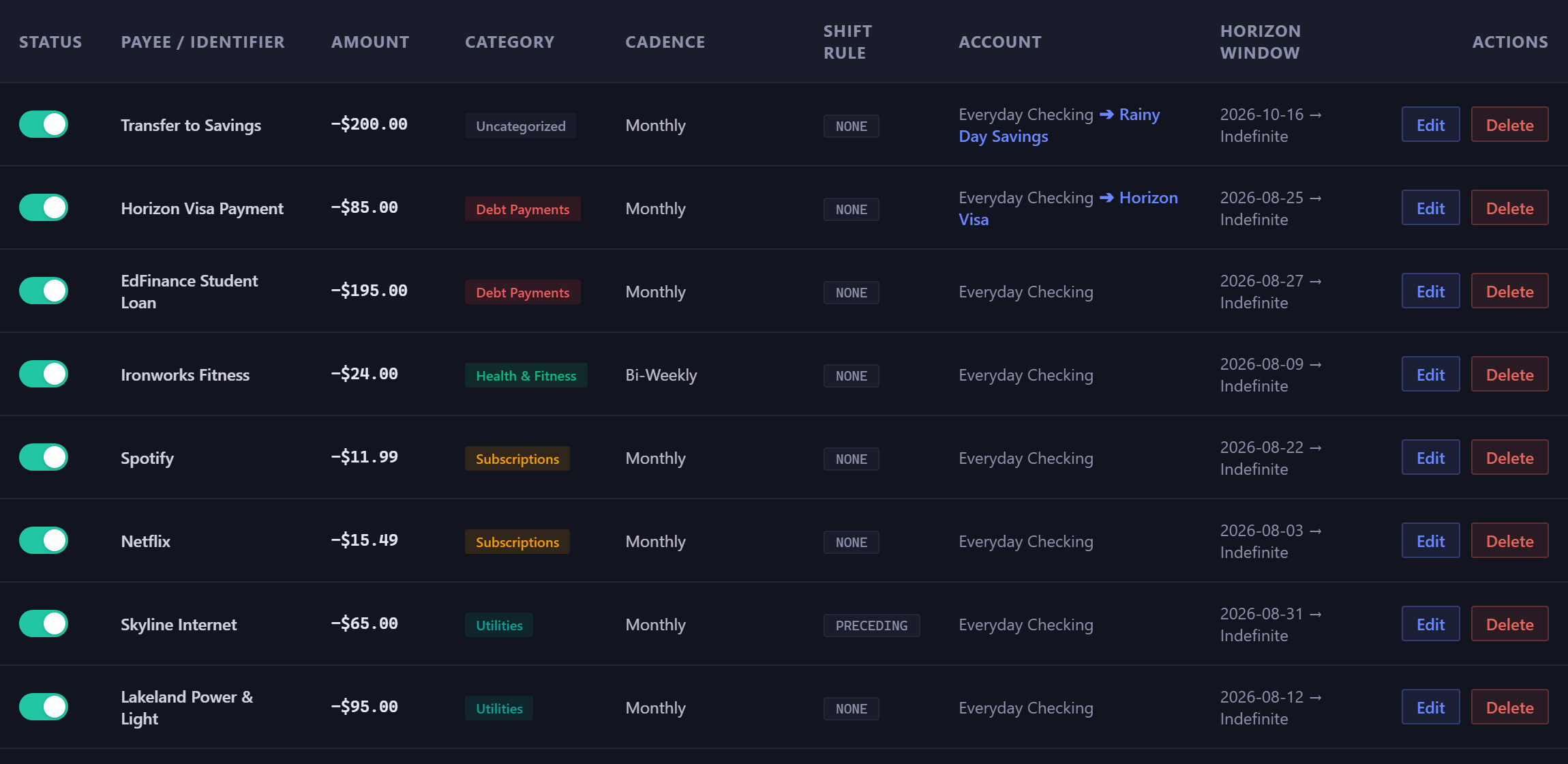
- A rule for anything that repeats. Write a bill once and the app puts it on every future date it's due. Change the rule and every date changes with it.
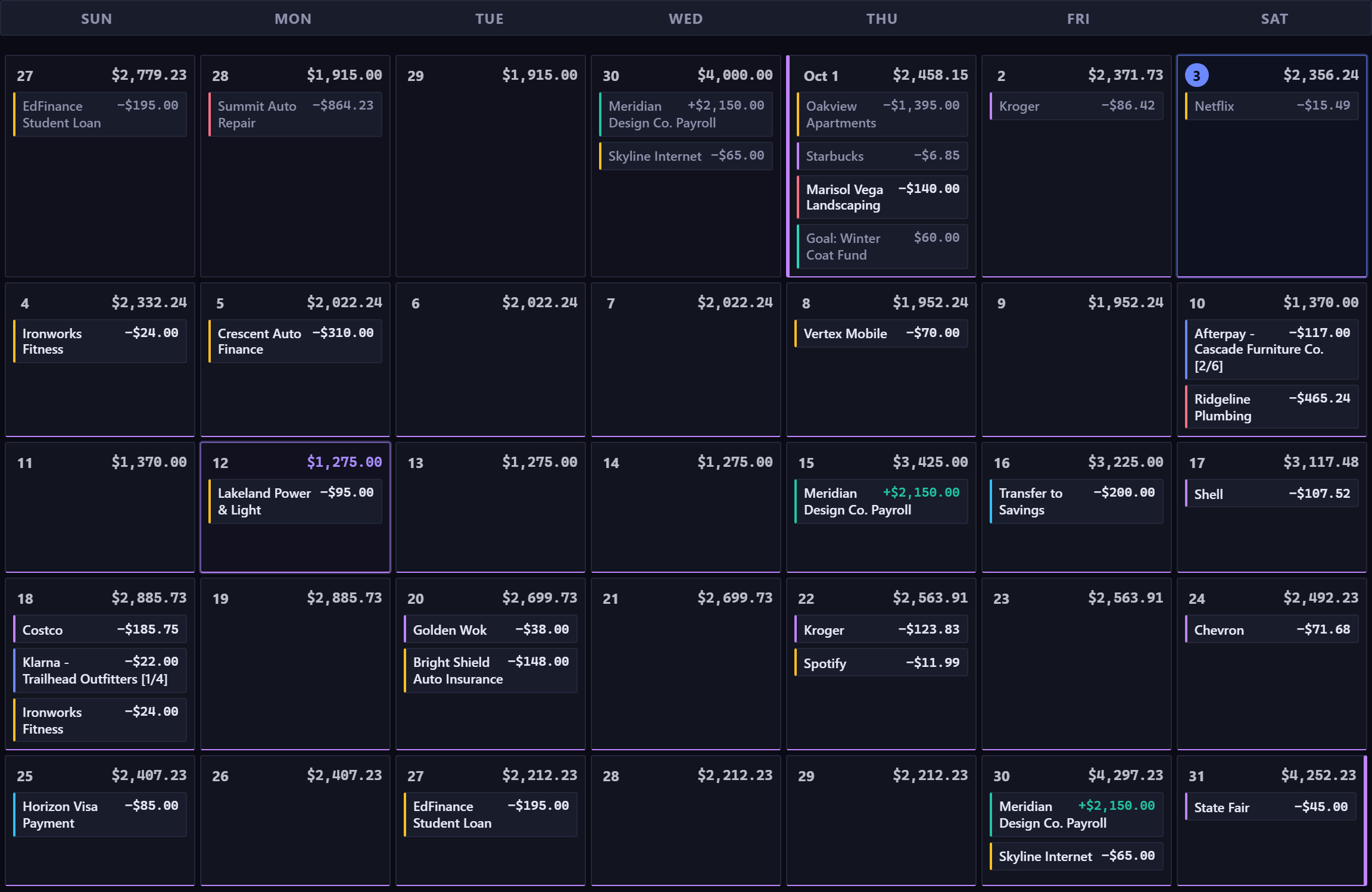
- The running balance on every day, on a calendar, so you can see what the 22nd looks like at a glance.
- A period that's yours to define. Monthly, twice a month, every two weeks, or your own interval. The sheet let you draw it your way, and the app shouldn't take that back.
- A way to ask "what if." Add a purchase or a raise and read what it does to the lowest day, without copying the whole sheet to a new tab first.
Moving in
You already have the rows. Start with the account your bills come out of, when you're paid, and the bills that repeat. That's most of the sheet's first tab, entered once. If you have a bank statement export, the app reads it in your browser, lists the charges that repeat, and you tick the ones you want as rules. The one-off rows from your sheet you can add as you go, or skip. The forecast is useful from the first paycheck.
And if the sheet does something this doesn't, keep the sheet for that. Nobody is asking you to throw away a tool that works.
It's free for 35 days with no card, and you'll recognize the first screen. Read about recurring rules.