Accounts
Accounts hold the balances your forecast counts from. The threshold you set on each one is the line the warnings are measured against.
The screenshots are live captures of a demo account.
Last updated
Your first account#
Your forecast, your budget periods and anything you schedule all belong to an account, so an account is the first thing to set up.
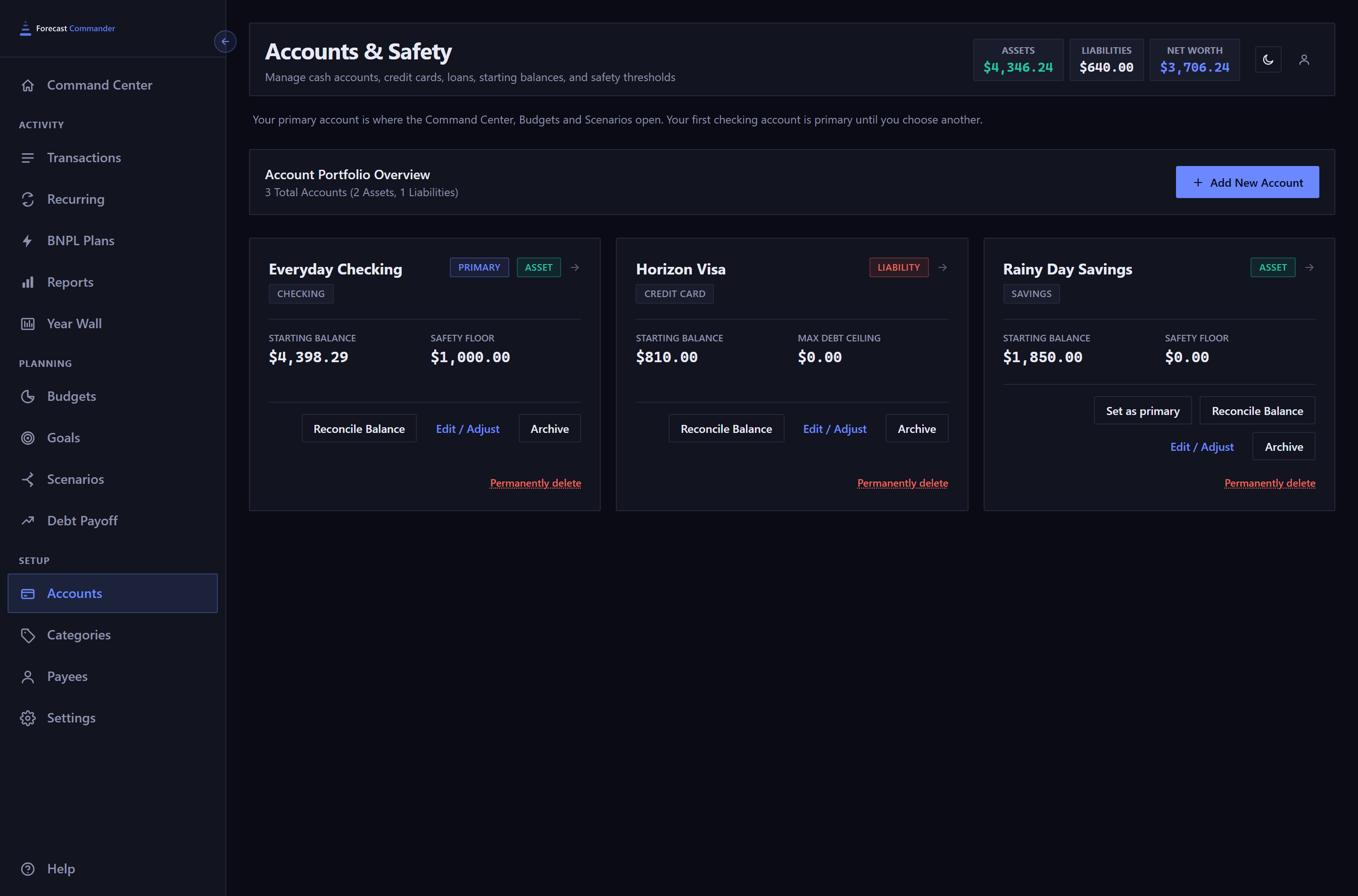
Most people start with the checking account their bills come out of, and add cards and loans afterward.
Adding an account#
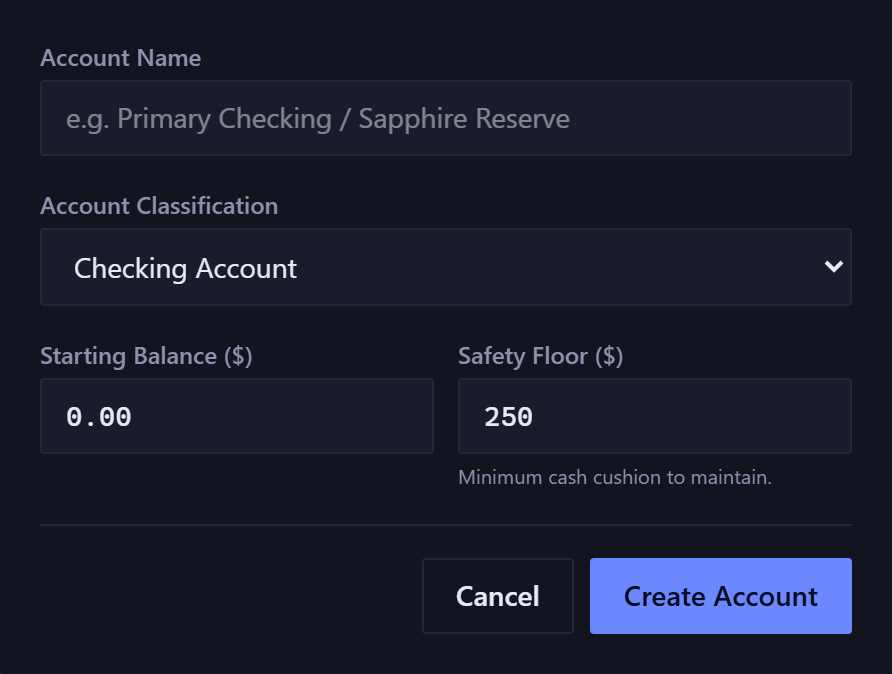
- Account Classification
- Grouped into Assets (checking, savings, investment), Liabilities / Debt (credit card, auto loan, mortgage, personal loan) and Other (a custom account, counted as an asset). The choice decides how the balance behaves and what the threshold below it means.
- Starting Balance
- The point the forecast counts from. Everything cleared is added to it. It isn't today's balance, and it doesn't change as you record things.
Each account's card shows its starting balance. The figures at the top of the page add everything cleared since, so the two differ and both are right.
Your primary account#
One of your accounts is primary. The Command Center, Budgets and Scenarios open on it when nothing else says which, and the budget equation takes its balance from it. Its card carries a small PRIMARY chip beside the Asset chip.
Your first checking account is primary until you choose another. Every other active asset account has a Set as primary button beside Reconcile Balance and Edit / Adjust. One click moves the chip, and one click on the card that lost it moves it back. There's no confirmation step.
Only an asset account, like checking or savings, can be primary. Cards and loans never carry the chip. Archiving the primary account hands the role back to your first checking account.
The threshold is a floor, a ceiling, or nothing#
Every account has one threshold field, and it means one of three things depending on the account type. Its label changes to match.
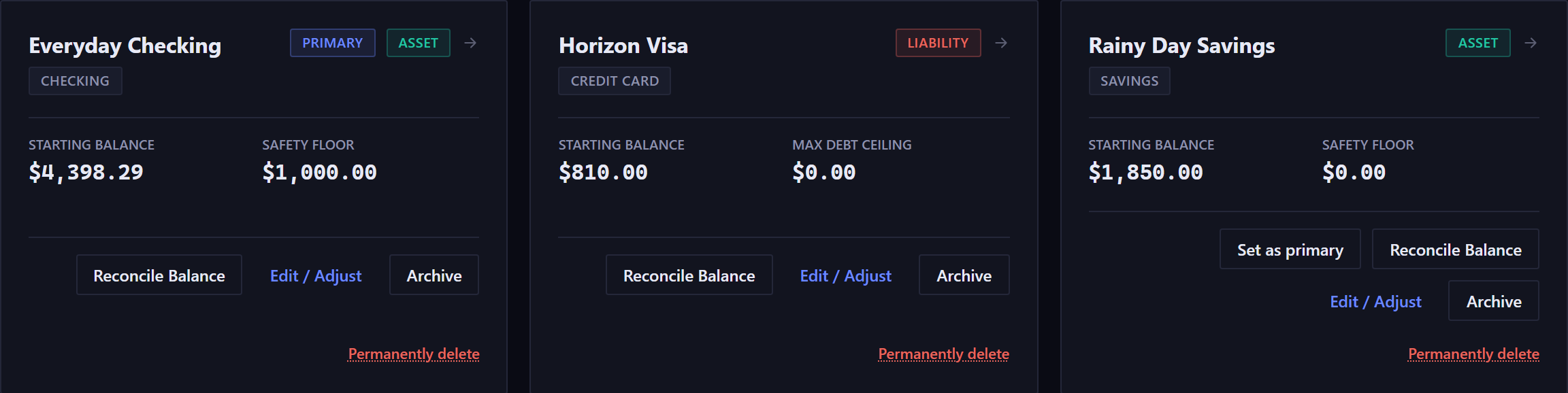
- Safety Floor, on an asset account
- The minimum cushion you want to keep. Danger is downward: the forecast warns when your balance heads below it. The cash crunch warning is measured against this line.
- Max Debt Ceiling, on a credit card
- The most you're willing to owe. Danger is upward, so the forecast panel leads with the highest point.
- Nothing at all, on a loan or mortgage
- A note takes the field's place. These only pay down, so there's no ceiling to exceed, and the forecast becomes a payoff countdown.
Payment tracking on a debt#
When you add a credit card or a loan, the form offers four more fields: Due Date, Monthly Payment, Pay From Account and Interest Rate / APR. Filling all four creates a recurring payment rule for you and brings the debt into the Debt Payoff planner.
A box under the fields shows the result before you save: an estimated payoff month and the total interest, or a red warning when the payment doesn't cover the interest and the balance would never go down.
Changing any of the four later replaces the payment rule, and the form says so on a second screen first. Payments that already cleared stay in your history.
Reconciling to a statement#
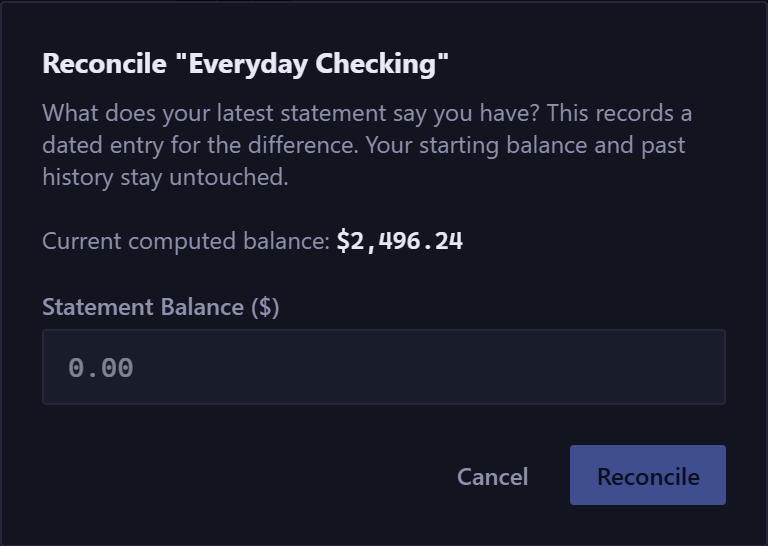
When the app and your bank disagree, Reconcile Balance settles it. You type what the statement says, and it records a dated entry for the difference. Your starting balance and your history stay as they were.
It then asks how to record the difference:
- Interest Earned, or Fees / Interest Charged
- Real money in or out. It gets a category and counts in Reports and Budgeting like any other income or expense.
- Past Error
- Bookkeeping only. It corrects the balance without recording that you earned or spent anything, so it stays out of your spending figures.
Settling says a specific scheduled item has happened. Reconciling says the total is off by an amount, and records why.
Archiving and deleting#
- Archive
- Reversible. The account is hidden from new transactions, its history stays, and you can restore it any time. You choose whether it still counts toward net worth.
- Permanently delete
- Not reversible. First it shows what you'd lose: how many transactions, which recurring rules, and which goals lose funding and by how much. If anything is attached, you also type the account's name before the button works.
Archiving pauses the recurring rules and goal funding tied to the account, and restoring doesn't switch them back on. When you restore, a banner lists what's still paused and links to the pages where you turn it back on.
New here? See what Forecast Commander does.