Scheduled and settling
The forecast counts things that haven't happened yet. That's how it sees forward, and settling is how you tell it something really happened.
The screenshots are live captures of a demo account.
Last updated
Scheduled or cleared: the date decides#
Everything on your calendar is one of two things.
- Scheduled
- You expect it, and it hasn't happened yet. The forecast counts it anyway, so it can see forward.
- Cleared
- It has happened, and it moves your real balance.
You almost never choose between them. When you add something, the date decides: today or earlier saves as cleared, and a future date saves as scheduled. The quick entry bar tells you which, in a line under the date, before you save.
That's why the app's numbers can differ from your bank's: the bank only knows what has cleared.
Settling a scheduled item#
When something scheduled actually happens, settle it. Settling moves it from expected to real.
Settle one item by opening it and setting its status, or settle a batch with Settle Due above the calendar. It gathers everything dated today or earlier that hasn't cleared.
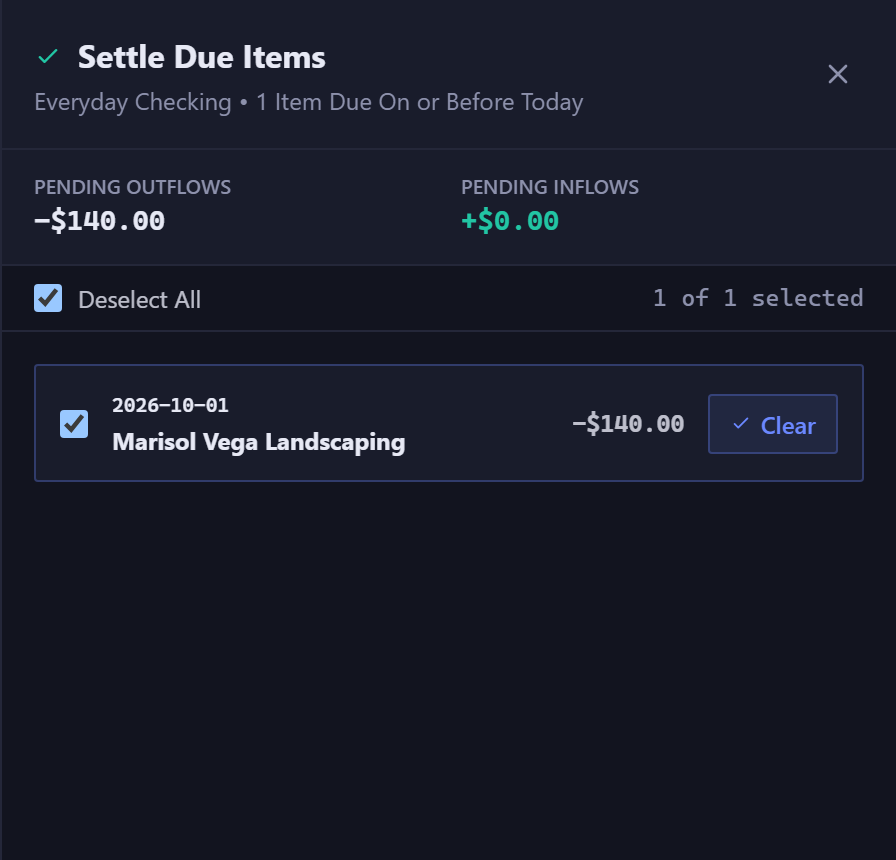
The count covers your whole forecast, not just the month on screen, so something overdue from six weeks ago is included.
Future entries from a rule#
There's a third case. A recurring rule puts itself on every future date it's due, but those future entries aren't records until something happens.
In the ledger they're grayed out, tagged Recurring, and can't be batch-edited. Open one and record it, and it becomes a real entry.
So when Reports counts transactions, it can say something like "42 actual, 9 projected": the two are different kinds of entry, and the count keeps them apart.
Settling or reconciling#
They sound alike and do different jobs.
- Settling
- Says this one thing happened. It's about one item.
- Reconciling
- Says the total is off by this much, and records the difference as interest, a fee, or a past error. It's about the account.
Settle things as they happen. Reconcile when a statement arrives and the numbers don't agree.
New here? See what Forecast Commander does.