BNPL Plans
Add a buy now, pay later plan and every installment goes on your forecast.
The screenshots are live captures of a demo account.
Last updated
What a plan is#
A buy now, pay later plan splits one purchase across several future dates. Klarna, Afterpay, Affirm, PayPal Pay in 4 and the rest all work this way. Each one is small and easy to forget, and four at once add up to a real commitment.
Reading a plan#
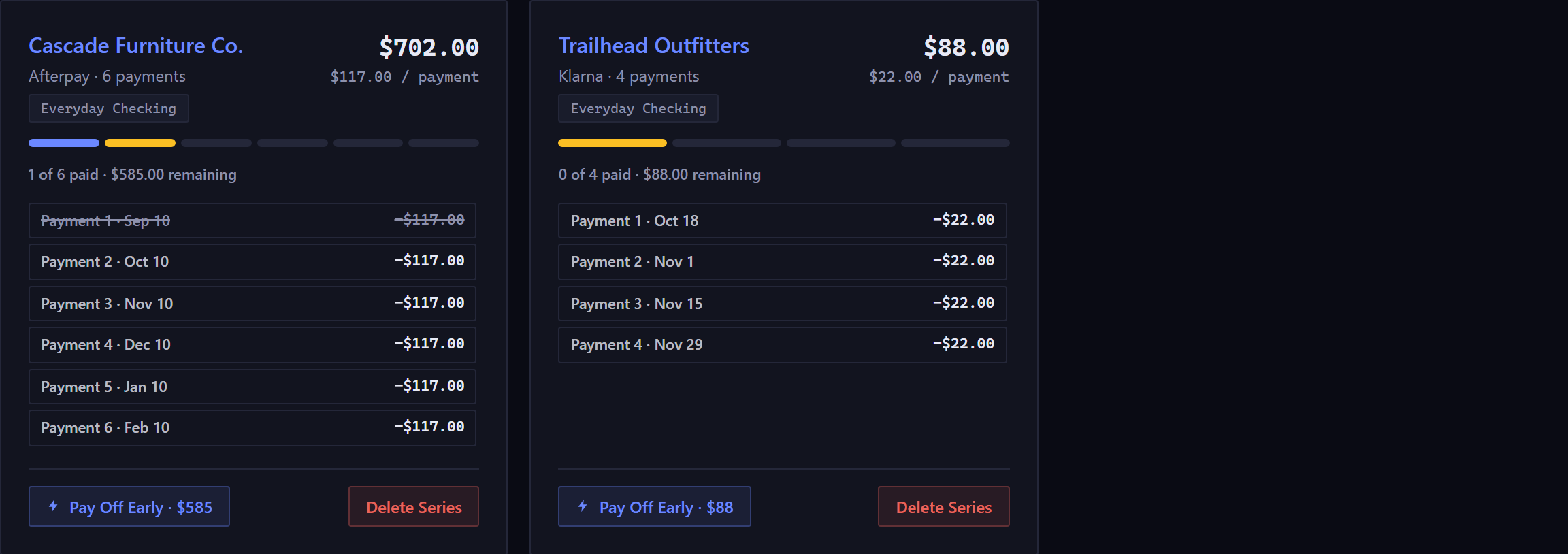
- The progress bar
- One segment per payment. Filled means paid, the highlighted one is next due, and the plain ones are still ahead.
- 1 of 6 paid, $585 remaining
- Paid means cleared. Remaining counts only what's still scheduled.
- The payment list
- Every installment with its date. Paid ones are struck through. Clicking any of them opens that single payment, so you can change or settle one without touching the rest.
- $117.00 / payment
- What you pay from the second installment onward. When a total does not divide evenly the first payment carries the extra cents, so quoting the first would be misleading.
Adding a plan#
New BNPL Plan asks for the account it's paid from, which can be a checking, savings, credit card or custom account but never a loan or another plan. Then it asks for the provider, the merchant, the total, the date of the first payment, how many payments, and how often.
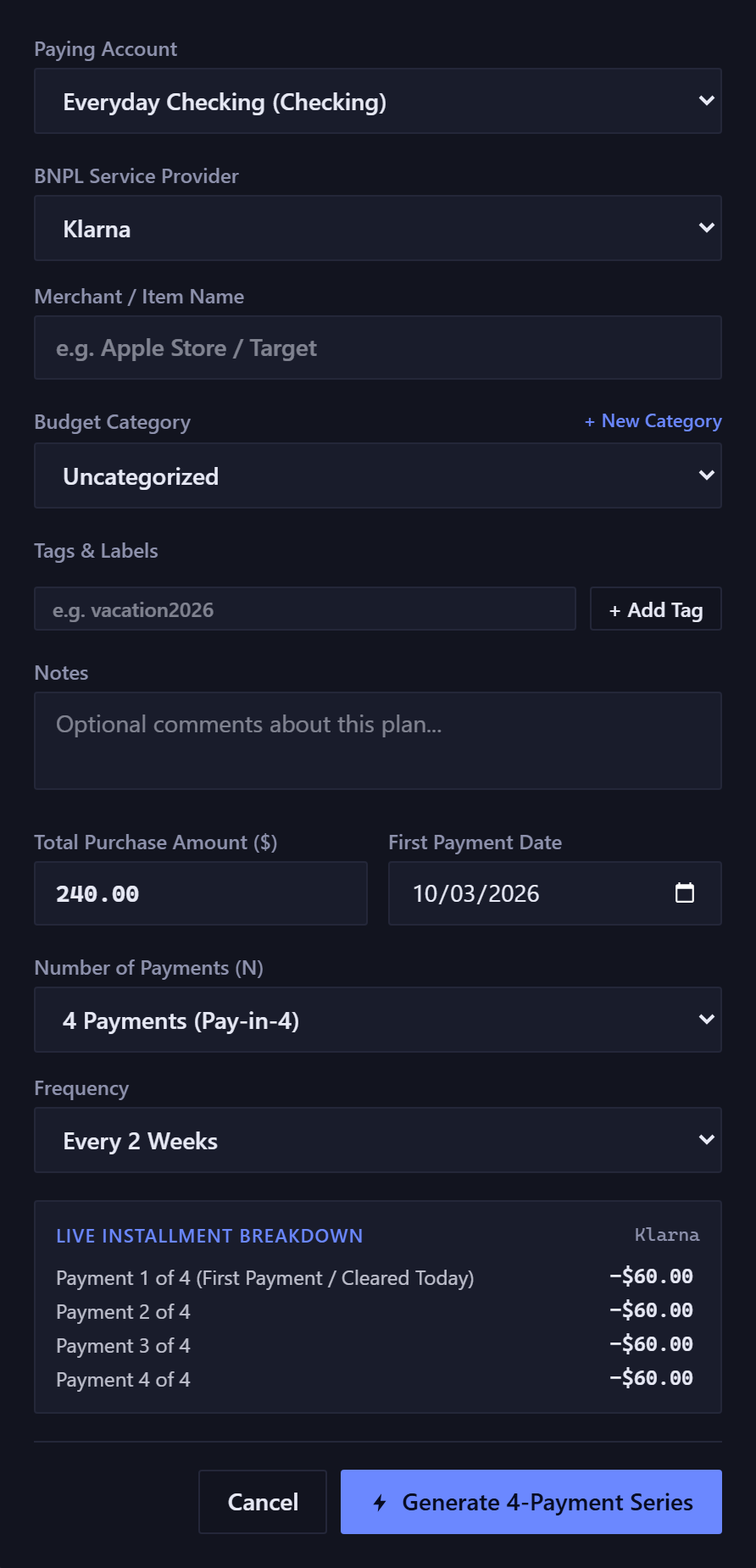
The Live Installment Breakdown at the bottom lists exactly the payments that will be created, worked out by the same arithmetic that creates them.
The first installment is recorded as already cleared and dated today. These plans usually take the first payment at checkout, and the rest are scheduled.
Paying one off early#
Pay Off Early clears the whole remaining balance today. It removes every scheduled installment and records one payment for the total.
Afterward the plan reads as paid off, and its progress bar shows fewer segments than the plan had at first, since there are fewer payments now.
Delete Series removes every installment in the plan, including the ones you've already paid, so it erases real history. Use it for a plan entered by mistake, not for one that's finished.
How a plan differs from a recurring rule#
- A recurring rule is open-ended
- It describes something that repeats indefinitely. Its future dates are worked out as needed, and aren't stored.
- A plan is finite and real from the start
- All of its payments are created the moment you add it, since there's a known number of them. So you can click any installment and edit it.
Plans are principal only. These agreements are fixed and interest-free, so there's no interest field, unlike a credit card or loan payment.
The two figures at the top of the page count only what's live: Active Plans is plans with at least one payment still to come, and Total Remaining adds up only scheduled installments. A fully paid plan still shows as a card, and counts toward neither.
New here? See what Forecast Commander does.