Sharing an account with someone
Share one of your accounts with one other person who has their own Forecast Commander account. They see that account, and with the Record role they can keep it up; everything else in your books stays yours. See also Sharing an account on the Accounts guide.
The screenshots are live captures of a demo account.
Last updated
How sharing works#
Each person has their own Forecast Commander account and their own books: accounts, bills, budgets, goals, forecast. Sharing lets you open one of your accounts to one other person, so a joint checking account can be seen and kept up by both of you while everything else stays yours.
The account stays in your books. The other person sees it on their Household page and nowhere else: not in their account list, their reports or their own forecast. You see nothing of theirs unless they share an account back.
Sharing an account#
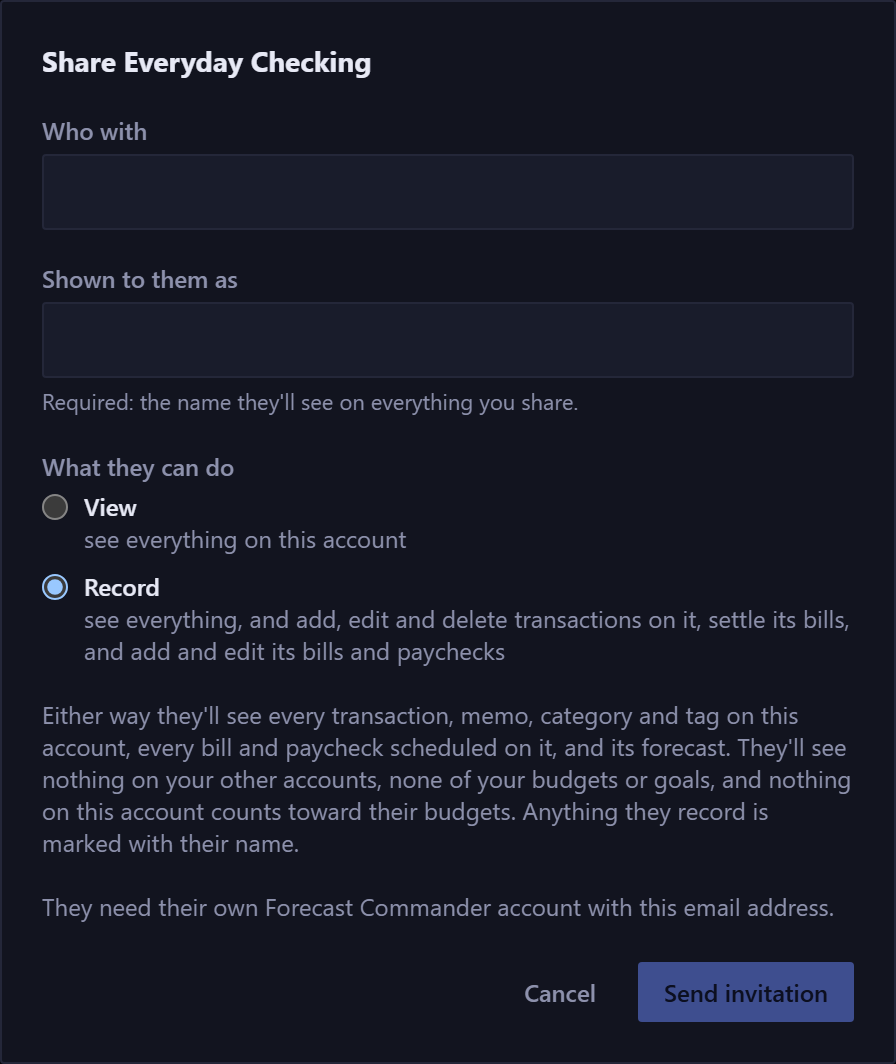
- Press Share on the account's card on the Accounts page, or Share an account on your Household page.
- Enter the other person's email address. They need a Forecast Commander account with that address, or they can create one when the invitation arrives.
- Enter the name they will see you as. It appears on the shared account and beside anything you record there.
- Choose what they can do:
| Role | What it allows |
|---|---|
| View | See everything on the account: its transactions, memos, categories and tags, its bills and paychecks, and its forecast. |
| Record | All of that, and add, edit and delete transactions on it, settle its bills, and add and edit its bills and paychecks. |
- Press Send invitation. The link in the email works for 7 days and only for the address you entered.
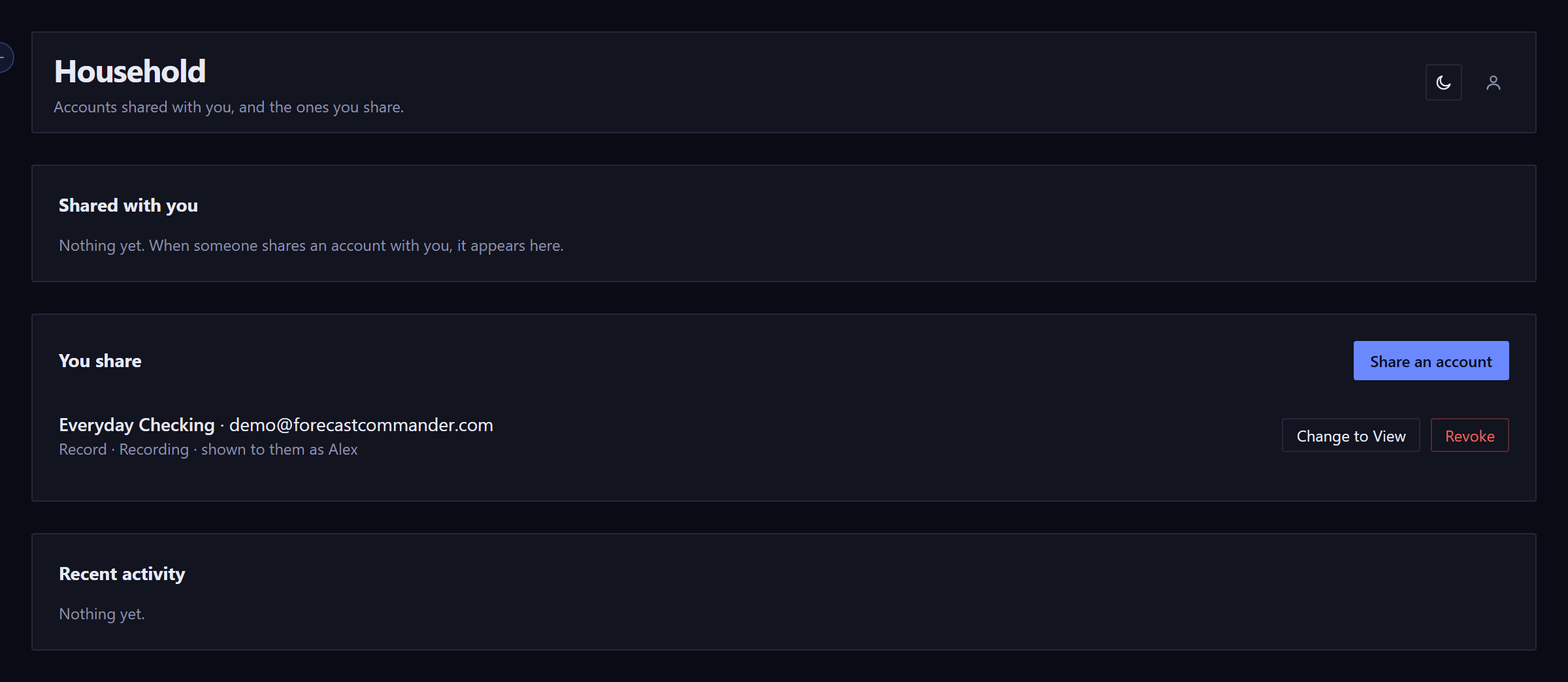
Your Household page lists everyone you share with, their role, and whether they have joined. You can change the role or revoke the share there at any time. Up to three people can share one account.
Accepting an invitation#
Open the link in the email and sign in with the address it was sent to. The page shows the account, who is sharing it, and what you will be able to do. Press Join. If you are signed in with a different address, the page says so and shows nothing else.
If you don't have a Forecast Commander account yet, create one with that address first, then open the link again.
What the other person sees#

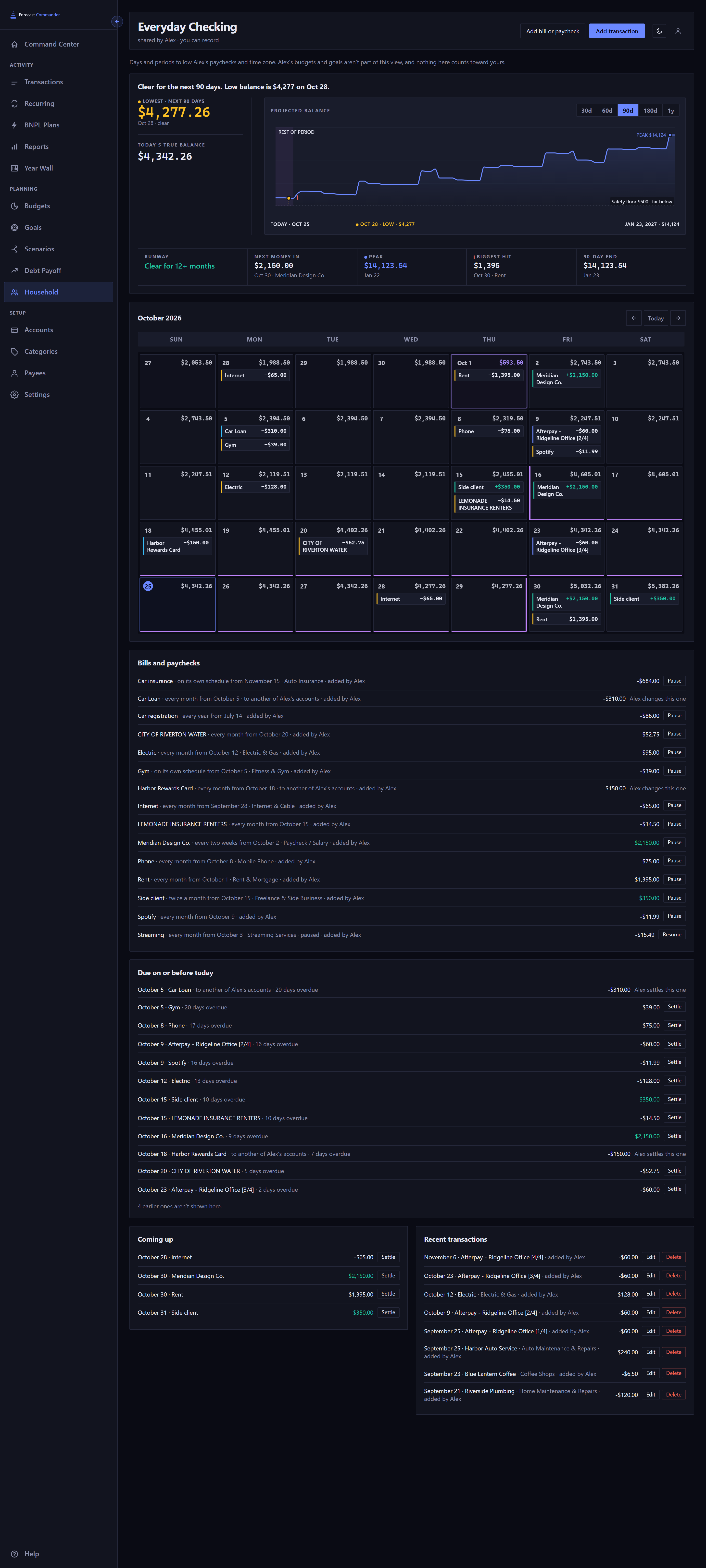
They see the shared account as its own page under Household: the forecast and its sentence, the calendar, anything due on or before today, upcoming bills and paychecks, and recent transactions, including memos. Days and periods follow your paychecks and your time zone, and the page says so.
They do not see your other accounts, your budgets, your goals, your scenarios, or any category, tag or payee that has never been used on the shared account. When a bill or a transfer on the shared account involves one of your other accounts, they see it described as "another of your accounts", never by name.
Nothing on the shared account counts toward their budgets, goals or forecast. It is your account, and it counts toward yours.
Recording on a shared account#
With the Record role, the other person can add a transaction, change or delete one, settle a bill, and add or edit a bill or paycheck, all on the shared account's page. Everything they record is marked with their name, on your pages and theirs, and the Household page keeps a short list of recent activity for both of you.
They choose categories from the ones already used on the account. New categories, tags and installment plans are yours to create. A bill that moves money between the shared account and one of your other accounts is yours to settle, and the page says so.
Moving money between your books and a shared account#
If someone has shared an account with you and you have the Record role, that account appears in both lists, From and To, when you record a transfer or set up a recurring one in your own books, so you can move money into it or back out to one of your own accounts. One side is always one of your own accounts. The transfer is recorded twice, once in each set of books, and the two entries stay linked: change or delete one and the other follows while the share lasts. Each forecast shows its own side: money leaving one account and arriving in the other. If your role changes to View, you can't change or delete a transfer you recorded between your books and that account until you have Record again or the account stops being shared with you.
Revoking, leaving, and starting over#
Revoke a share from your Household page and the other person loses access the next time they open the page. Anything they recorded stays in your books, still marked with their name.
If the other person deletes their account or starts over, the shares they received end. If you delete your account or start over, every share you gave ends with it. Start Over tells you when that applies.
What travels with the account#
- Your backup includes the shared account and everything recorded on it, by anyone. It does not include who you share with, and restoring a backup never shares anything again. Share again when you need to.
- Your assistant sees a shared account as one of yours, as before. An account someone shared with you is not visible to your assistant yet.
- Alerts about the shared account go to its owner. Catch up and Import work on the owner's side.
- Sharing is included in the owner's subscription. A person who only uses accounts shared with them pays nothing; they need their own subscription only for accounts of their own.
New here? See what Forecast Commander does.